
Step by step instructions:
1. Place order: (should add this to your favorites)
2. Select order from worklist on US machine:
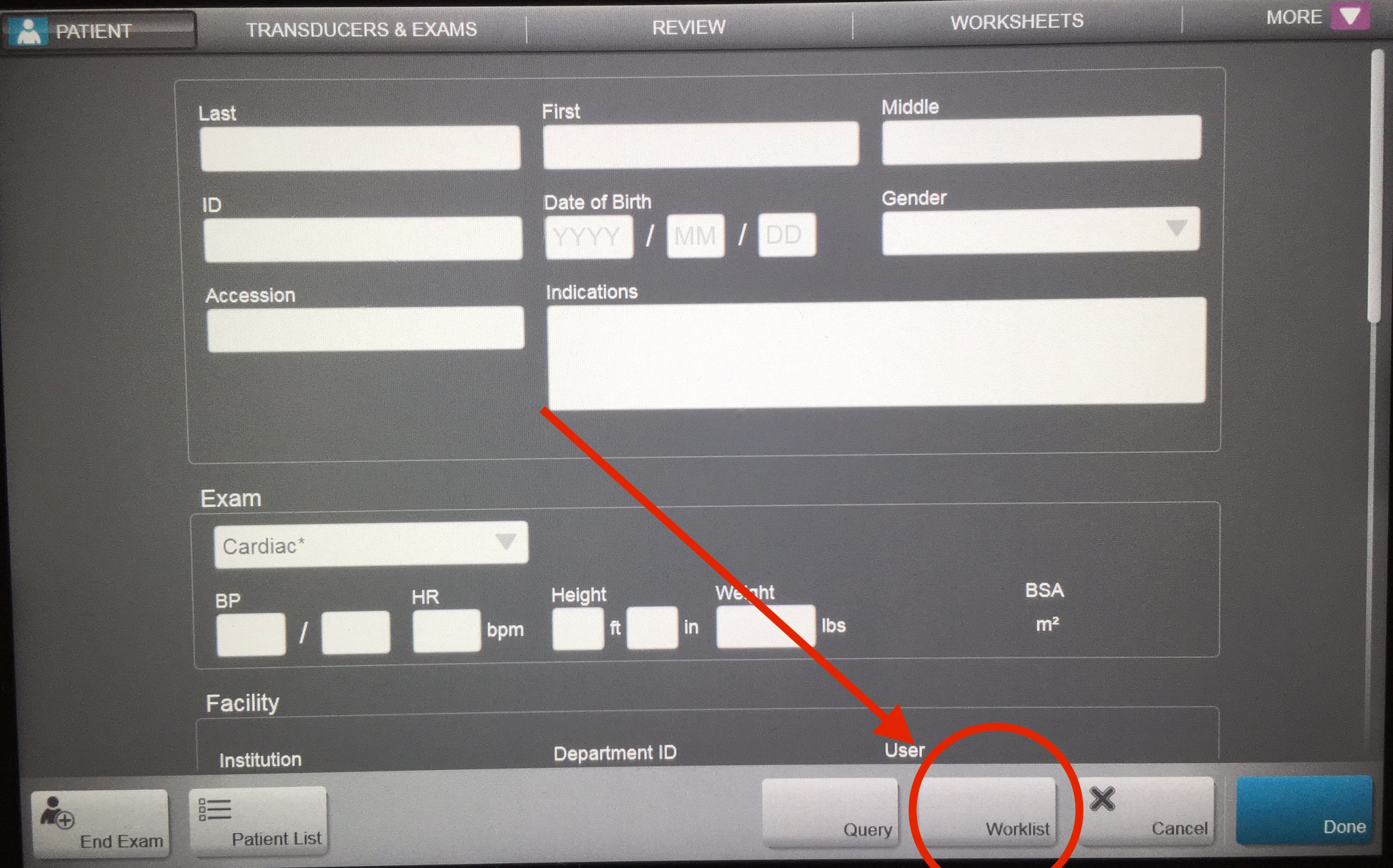

3. This will auto-populate patient demographic info into the machine. You must add your qpath username to the reading doctor field (for residents) or referring doctor field (for attendings):

4. Complete scan as normal. Press New/End exam.
5. Fill out interpretation on qpath. Click sign. If resident/fellow: inform the supervising attending that the study is complete and ready for signature. Once an attending signs the study it will be sent to Cerner automatically.
QPATH:
1. Login into qpath. Review the resident/fellow read, or if you performed the study yourself, fill out worksheet. Make any changes you feel necessary. Sign the worksheet once complete. This will push the report over to EPIC and the images to PACS.


2. Results will show up in EPIC under imaging results:


You will not need to add any other attestation or documentation.
FAQs:
Q. What if I completed the ultrasound before I remembered to place an order?
A. If you completed the US before the order (critical patient, trauma patient), as long as you put in the correct patient info (name, MRN into the machine) you will still be able to transfer the report and images to Epic. Place your order as above. In qpath, use the link button to link the order. This will link the study to the order, and then the report and images will sync and cross over.
Q. What if I make a change to my report, will that be reflected in Epic?
A. You can make as many changes as you want, after you make the change, on the main screen your attending will need to select “transfer”, and this will manually re-transfer the updated report.
Q. I performed an educational study and want to submit it for feedback to get educational value and improve my ultrasound skills.
A. Great – select educational when you fill out your report, no images will cross over but you can still sign it and submit for QA.
Q. What if I want to do more than one ultrasound on a patient?
A. You will need to place multiple orders. Complete the first study and hit end exam on the US machine, then select the next order for that same patient and complete the next study. This will make two separate studies in qpath, and you can upload both reports as above.
Q. I still don’t get it.
A. Please feel free to contact Michael Joyce with the US informatics team if you have any questions or problems:
Michael Joyce, MD – john.joyce@vcuhealth.org
 VCU Ultrasound